> ## Documentation Index
> Fetch the complete documentation index at: https://phaseo.app/docs/llms.txt
> Use this file to discover all available pages before exploring further.
# Zed
> Add Phaseo as an OpenAI-compatible model provider in Zed.
Run `phaseo integrations setup zed`. The CLI adds provider ID `phaseo`, API URL `https://api.phaseo.app/v1`, and the selected model to Zed's `settings.json` without changing unrelated settings.
## Save the API key in Zed
Zed stores provider keys in the system keychain, so this is the one remaining UI step.
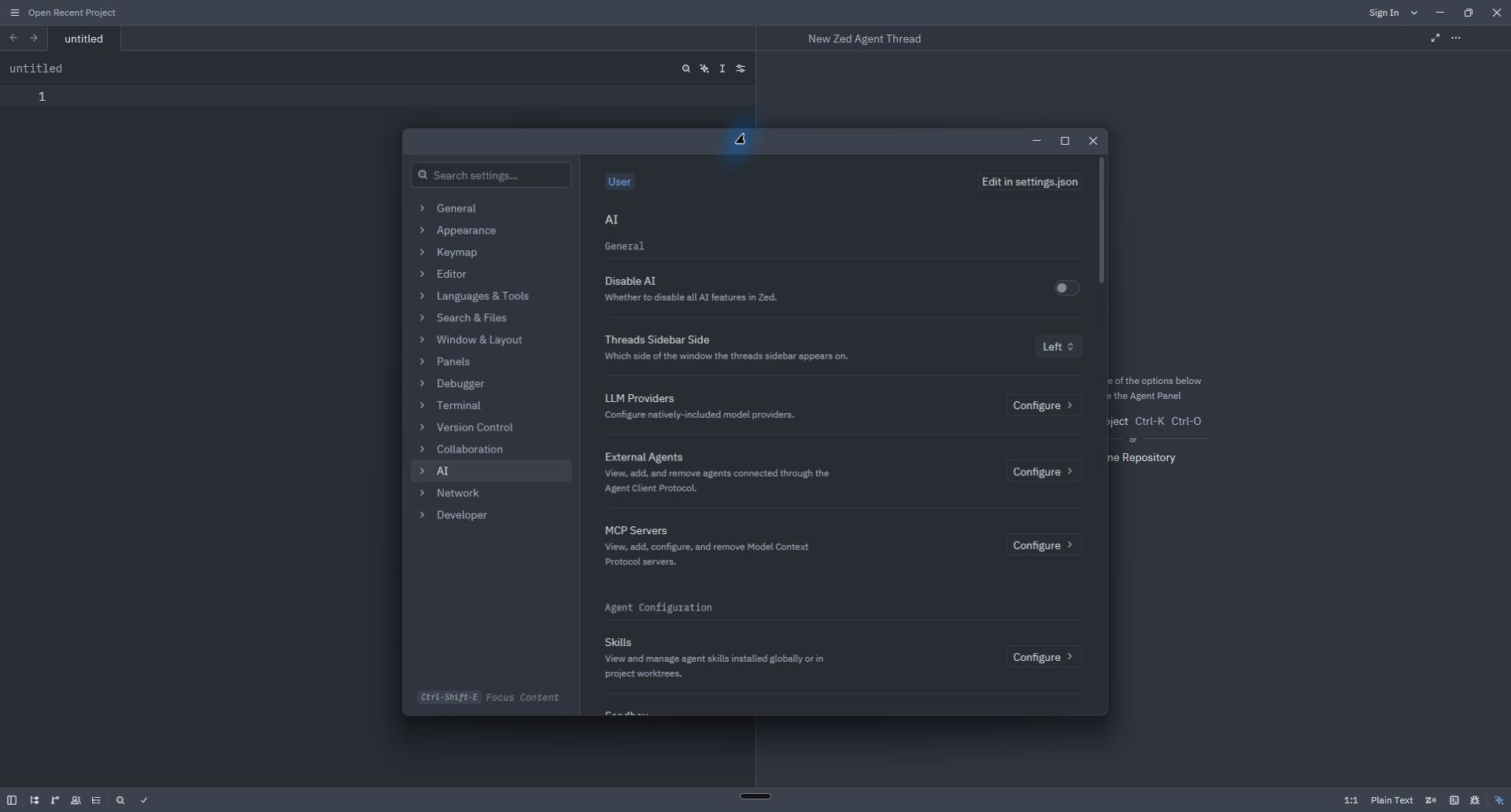
1. Open the command palette and run **agent: open settings**.
2. Under **AI**, select **LLM Providers → Configure**.
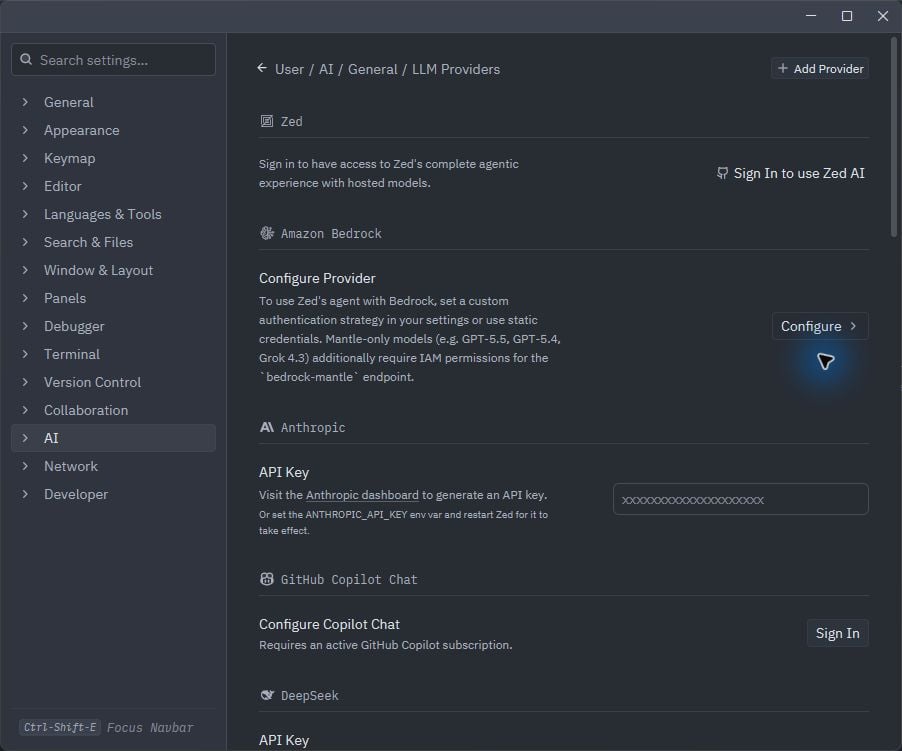
 3. If Phaseo already appears, open it and paste the dedicated key. Otherwise select **Add Provider → OpenAI**.
 4. For a manual fallback, enter:
| Field | Value |
| ------------- | ---------------------------------------------- |
| Provider Name | `Phaseo` |
| API URL | `https://api.phaseo.app/v1` |
| API Key | Output of `phaseo integrations credential zed` |
| Model Name | Your selected Phaseo model ID |
4. For a manual fallback, enter:
| Field | Value |
| ------------- | ---------------------------------------------- |
| Provider Name | `Phaseo` |
| API URL | `https://api.phaseo.app/v1` |
| API Key | Output of `phaseo integrations credential zed` |
| Model Name | Your selected Phaseo model ID |
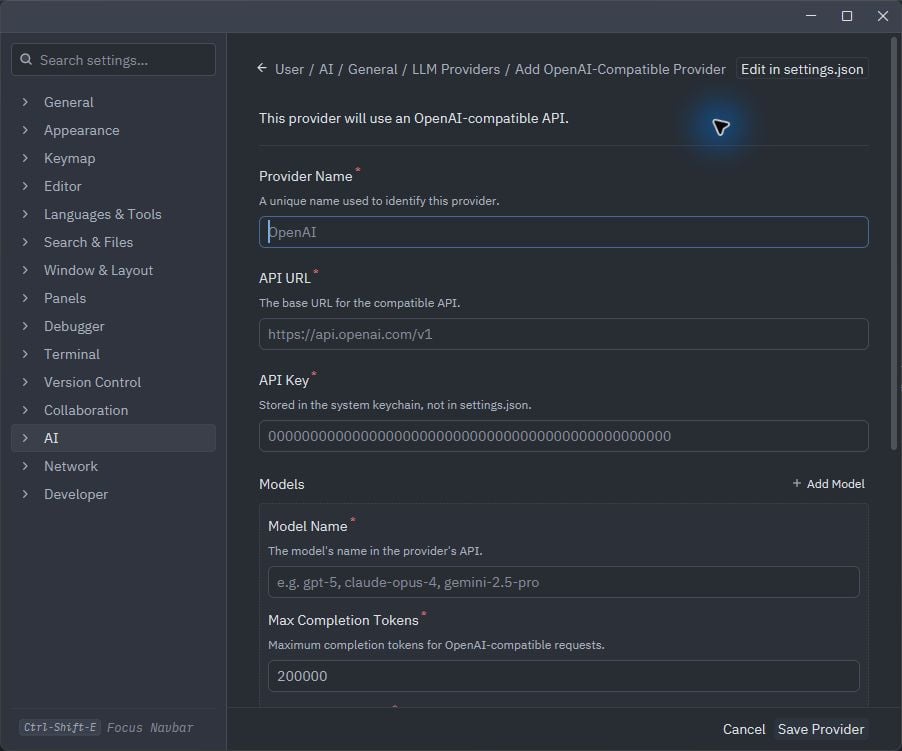 Do not select **Save Provider** until the Base URL, model ID, and key are complete.
## Verify
Open a new Agent thread, select the Phaseo model, and send a short request. If Zed reports an invalid key, run `phaseo integrations credential zed` again and replace the key stored in Zed.
## Remove
```bash theme={null}
phaseo integrations remove zed
```
The CLI removes the Phaseo provider from `settings.json` and revokes its dedicated key. If Zed still shows the old keychain entry, remove Phaseo from **LLM Providers** as well.
Do not select **Save Provider** until the Base URL, model ID, and key are complete.
## Verify
Open a new Agent thread, select the Phaseo model, and send a short request. If Zed reports an invalid key, run `phaseo integrations credential zed` again and replace the key stored in Zed.
## Remove
```bash theme={null}
phaseo integrations remove zed
```
The CLI removes the Phaseo provider from `settings.json` and revokes its dedicated key. If Zed still shows the old keychain entry, remove Phaseo from **LLM Providers** as well.