> ## Documentation Index
> Fetch the complete documentation index at: https://phaseo.app/docs/llms.txt
> Use this file to discover all available pages before exploring further.
# Zed
> ZedにOpenAI互換のモデルプロバイダーとしてPhaseoを追加します。
Phaseo CLIでプロバイダーとモデルをZedに追加し、キーをZedのキーチェーンに保存してください。CLIを使わない場合は、同じプロバイダー値を手動で入力します。
## Phaseo CLIで設定する
```bash theme={null}
phaseo login
phaseo zed --model openai/gpt-5.6-terra
```
CLIは、他の設定を変更せずに、プロバイダーID `phaseo`、API URL `https://api.phaseo.app/v1`、選択したモデルをZedの`settings.json`に追加します。
## Zedで設定を完了する
Zedはプロバイダーキーをシステムのキーチェーンに保存するため、残る操作はUI上のこの手順だけです。
1. コマンドパレットを開き、**agent: open settings**を実行します。
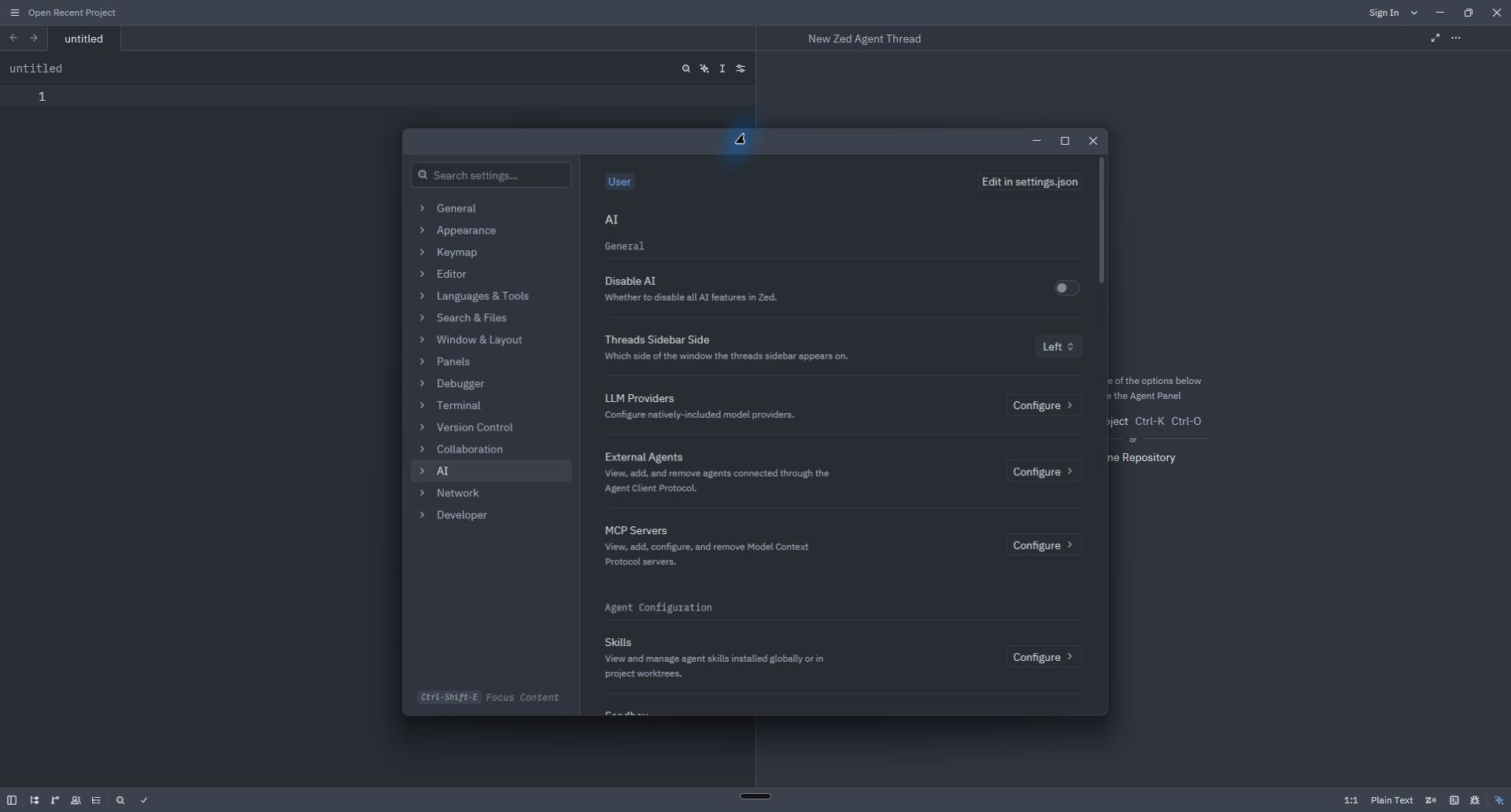
2. **AI**で**LLM Providers → Configure**を選択します。
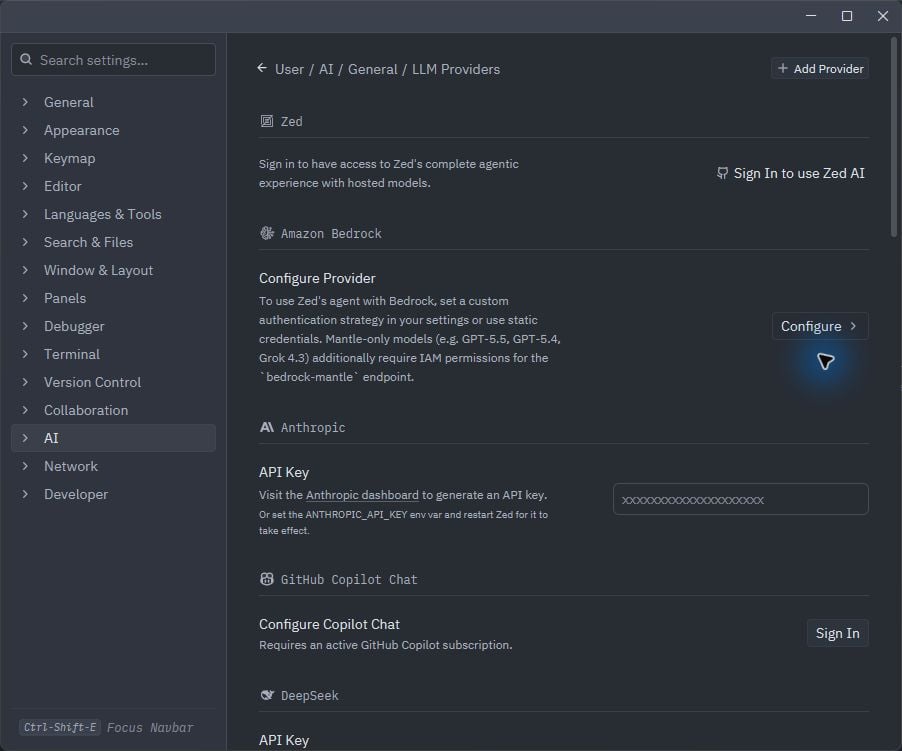
 3. Phaseoがすでに表示されている場合は開いて専用キーを貼り付けます。表示されていない場合は**Add Provider → OpenAI**を選択します。
 4. 手動で設定する場合は、次の値を入力します。
| 項目 | 値 |
| - | - |
| Provider Name | `Phaseo` |
| API URL | `https://api.phaseo.app/v1` |
| API Key | 次のコマンドの出力 `phaseo integrations credential zed` |
| Model Name | 選択したPhaseoモデルのID |
4. 手動で設定する場合は、次の値を入力します。
| 項目 | 値 |
| - | - |
| Provider Name | `Phaseo` |
| API URL | `https://api.phaseo.app/v1` |
| API Key | 次のコマンドの出力 `phaseo integrations credential zed` |
| Model Name | 選択したPhaseoモデルのID |
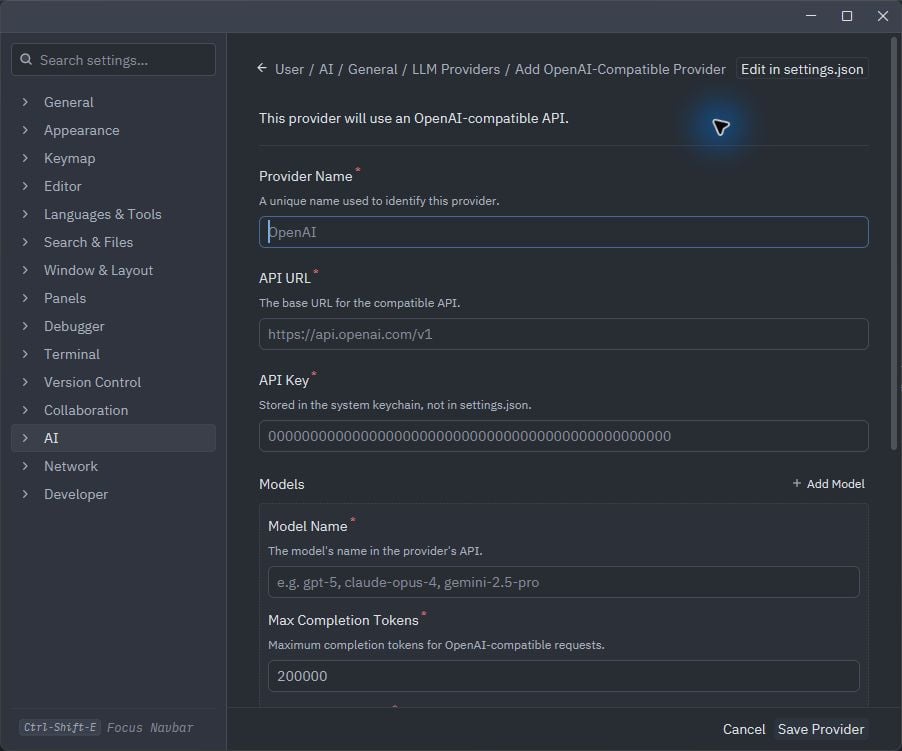 Base URL、モデルID、キーを入力し終えるまで、**Save Provider**を選択しないでください。
## 確認する
新しいAgentスレッドを開き、Phaseoモデルを選択して短いリクエストを送信します。Zedが無効なキーを報告した場合は、`phaseo integrations credential zed`を再実行し、Zedに保存したキーを置き換えます。
## 削除する
```bash theme={null}
phaseo integrations remove zed
```
CLIは`settings.json`からPhaseoプロバイダーを削除し、専用キーを失効させます。Zedに古いキーチェーン項目が残っている場合は、**LLM Providers**からPhaseoも削除してください。
This documentation is built and hosted on [Mintlify](https://mintlify.com), a developer documentation platform.
Base URL、モデルID、キーを入力し終えるまで、**Save Provider**を選択しないでください。
## 確認する
新しいAgentスレッドを開き、Phaseoモデルを選択して短いリクエストを送信します。Zedが無効なキーを報告した場合は、`phaseo integrations credential zed`を再実行し、Zedに保存したキーを置き換えます。
## 削除する
```bash theme={null}
phaseo integrations remove zed
```
CLIは`settings.json`からPhaseoプロバイダーを削除し、専用キーを失効させます。Zedに古いキーチェーン項目が残っている場合は、**LLM Providers**からPhaseoも削除してください。
This documentation is built and hosted on [Mintlify](https://mintlify.com), a developer documentation platform.